AI Image Translator

Translate the text in any image

Most translators hand you a list of words. Qutu hands you the picture back — with the translated text written in place, so a menu still looks like a menu.

Free to download · Photos auto-deleted in 48h · Updated October 19, 2026

Qutu translating the text in a photo while keeping the original layout

How it works

  1. Upload the photo

    Snap a menu, sign or poster, or use a screenshot. Qutu detects every line of text.

  2. Choose a language

    Pick the target language and review the suggested translation for each line before you generate.

  3. Get a translated image

    The AI removes the original words and writes the translation in a matching style, keeping the layout of the original.

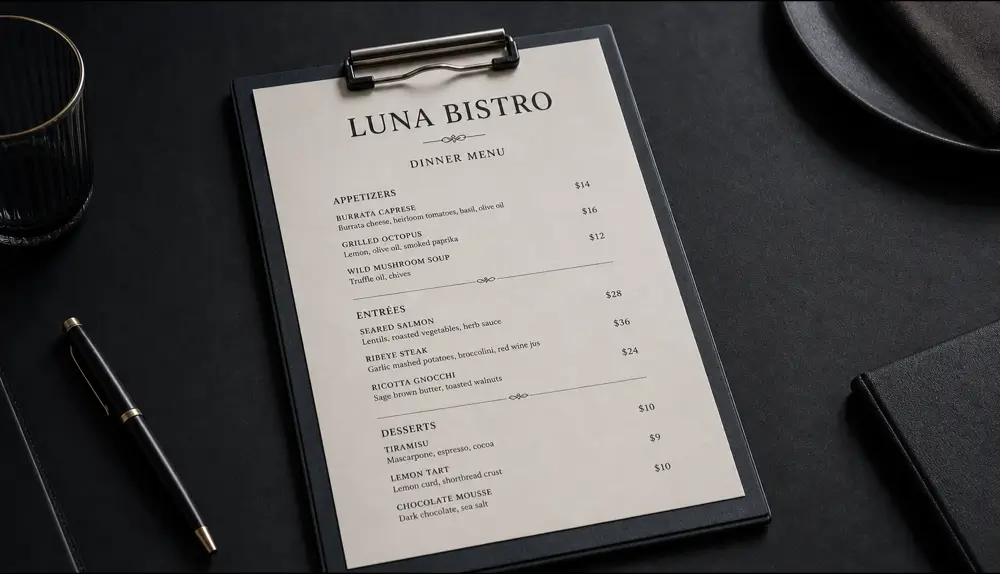
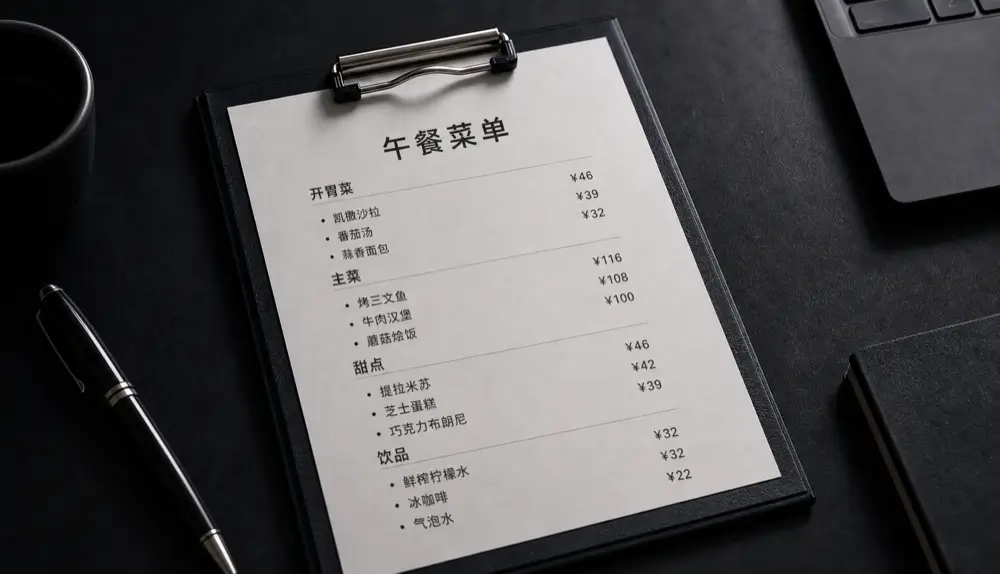
Before Before: An English dinner menu translated in place, keeping the clipboard, layout and prices intact.
After After: An English dinner menu translated in place, keeping the clipboard, layout and prices intact.
An English dinner menu translated in place, keeping the clipboard, layout and prices intact.

Translation that keeps the design

When you translate a flyer or a menu, the layout carries meaning: what’s a heading, which price goes with which dish, what’s a warning. A text-only translation loses all of that. Qutu keeps the structure and swaps only the words, so the translated version is as easy to read as the original.

Where people use it

  • Travel — restaurant menus, transit signs, museum labels and shop windows.
  • Small businesses — make a second-language version of a poster, price list or social post.
  • Creators — localize thumbnails and promo images for audiences in other countries.
  • Study and work — turn a screenshot of a slide or diagram into your own language.

Getting a clean translation

  1. Photograph the text straight on, in good light, and fill the frame.
  2. Check names, prices and numbers in the review step — they should usually stay unchanged.
  3. Very long translations (for example English to German) may need slightly shorter wording to fit the original space.

Frequently asked questions

How is this different from a camera translator?

Camera translators overlay text on a live view. Qutu produces a finished image you can save, share or print, with the translation blended into the original design.

Can I edit the translation before it is drawn?

Yes. Each detected line shows its translation so you can fix wording, names or prices before generating.

Does it work for screenshots and documents?

Yes. Menus, signs, posters, product packaging, slides and screenshots all work. Very small print is easier if you photograph it up close.

Change the words. Keep the photo.

Qutu matches the original font, color and background, so your edit looks like it was always there.