
Guides

How to change the text on a flyer or poster

Events move, prices change, and the designer who made the flyer is busy. If all you have is the image, you can still update the details and keep the design looking untouched.

Free to download · Photos auto-deleted in 48h · Updated October 19, 2026

Qutu replacing text in a photo while matching the original font and color
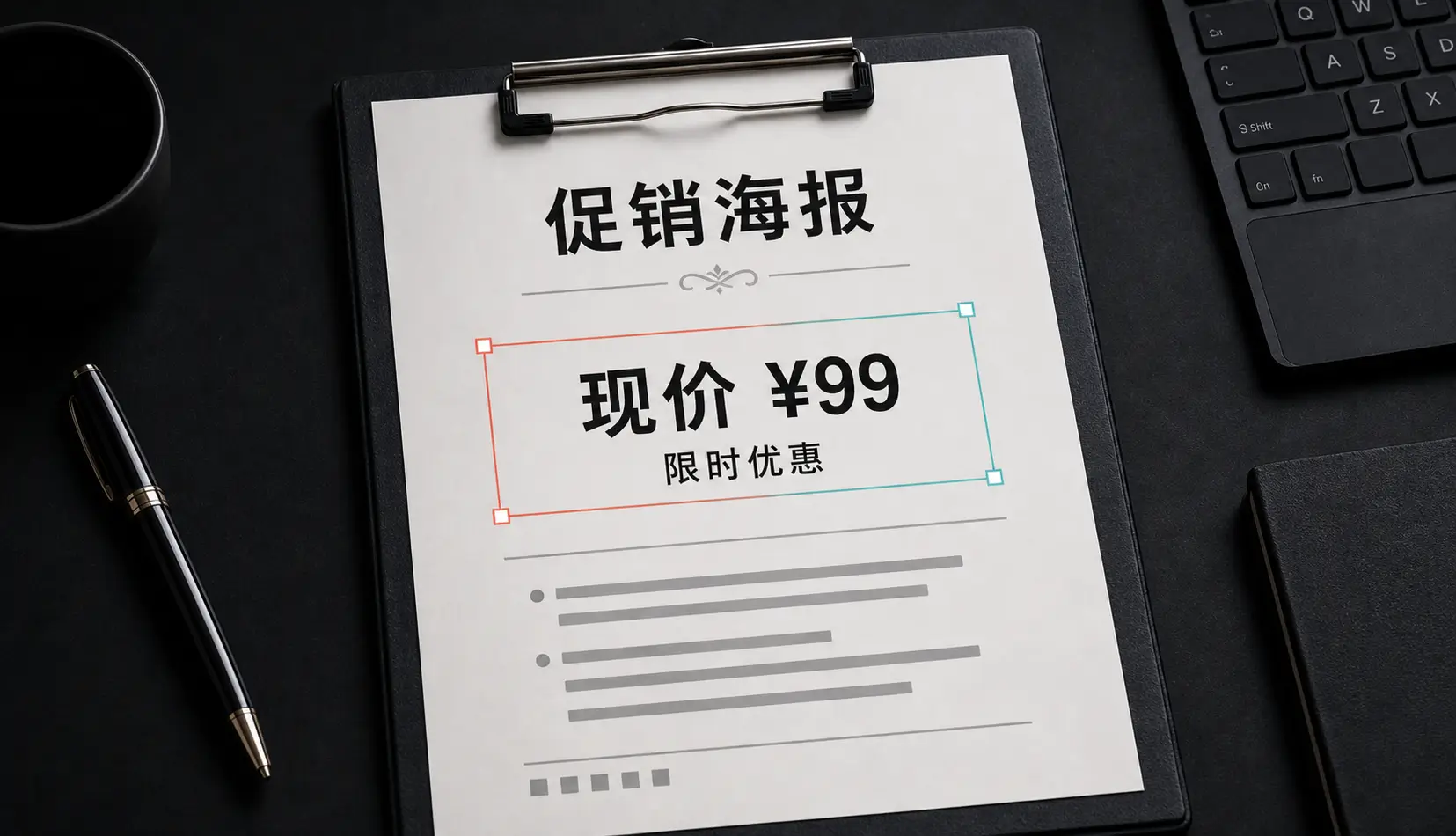
Before Before: A promotional poster updated with a new price and tagline, matching the original style.
After After: A promotional poster updated with a new price and tagline, matching the original style.
A promotional poster updated with a new price and tagline, matching the original style.

What you can update

  • Dates and times when an event is rescheduled.
  • Prices and offers on your own promos.
  • Venue or address details.
  • A line of copy — a headline, a call to action, a sponsor name you have permission to use.

Step by step

  1. Open Qutu on iPhone or Qutu Web in your browser.
  2. Upload the flyer image. Qutu outlines every block of text.
  3. Tap the date (or price, or headline). The current text is pre-filled.
  4. Type the new details. Edit as many blocks as you need.
  5. Generate, compare with the original, and save.

Keep it looking designed

  • Match the length. “Sat, May 3” → “Sun, May 4” will fit perfectly; turning one word into a full sentence will look cramped.
  • Change related details together. If the date changes, check the day of the week and any countdown text too.
  • Look at it small. Most people see flyers as a thumbnail on a phone. Check the result at that size as well as zoomed in.

Use it responsibly

Update flyers and posters you made or manage. Don’t alter tickets, official notices or anything other people rely on as proof.

Frequently asked questions

Can I add a line that wasn't there before?

Yes. Qutu can add new text in a style that matches the rest of the image, as well as change or remove existing text.

Will it work on a photo of a printed flyer?

Yes, though a flat, well-lit photo works better than an angled one. For best results use the original image file if you have it.

What file do I get back?

A high-resolution image you can post, print or send. PRO members export without a watermark.

Change the words. Keep the photo.

Qutu matches the original font, color and background, so your edit looks like it was always there.